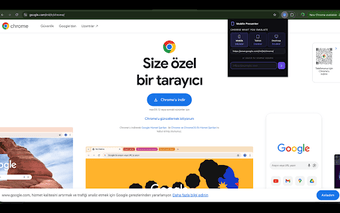
Mobile Presenter: Show responsive sites in realistic device frames
Mobile Presenter, by Elif Türk, is a Chrome extension for developers and designers who need polished responsive demos. It provides a client-facing workspace that renders active pages in device mockups, supports one-click device switching, and lets presenters set custom viewport dimensions. The extension includes a Presentation Mode for distraction-free display and simple zooming controls, making it useful during stakeholder meetings and team demonstrations with minimal setup.
Resource footprint stays minimal during live previews
Small package size and few permissions make the extension light on the browser. The install is approximately 25KiB and the tool requests minimal permissions, which the developer designed to keep browser overhead low. Users describe it as fast and simple for responsive previews, a useful trait when presenters need quick setup and low CPU or memory impact during client demos.
Built for presentation use rather than debugging workflows
Dedicated presentation workspace strips away developer clutter so demos look professional instead of technical. The extension can load any website by entering a URL directly and places that page into a framed preview for stakeholders. This positioning is explicit: it is meant as a professional alternative to Chrome DevTools for client-facing demonstrations, not as a substitute for in-depth debugging tools.
Designed for use across desktop environments where Chrome runs
Deploys through Chrome on mainstream desktops, so teams that standardize on the browser can use the tool across Windows, macOS, Linux, and ChromeOS installations. The developer focuses on lightweight utilities for the Chrome ecosystem, which explains the narrow scope and straightforward interface that favor quick demonstrations over deep customization or cross-browser support.
A focused choice for presenters who value polished demos
The extension is a practical, presentation-focused utility for designers and product teams who prioritize clean, shareable previews over debugging features. Its small footprint and simplified interface support fast setup for stakeholder demos, though users who need detailed inspection and debugging should keep a developer toolset available. For polished responsive walkthroughs, the extension is a purposeful addition to a presentation toolkit.